User Guide
Why this exists
Anatop holds EU Marketing Authorisation. To put it on pharmacy shelves in seventeen more countries, SLA needs the right local pharmaceutical partner in each one — a company with a gastroenterology franchise, the capacity to in-licence a finished product, and the commercial muscle to launch.
Finding those partners is slow work. A business-development analyst takes three to five weeks per country to read the local pharma landscape, shortlist candidates, track down a senior commercial contact, and write a personalised introduction. Seventeen countries at that pace is a year of effort by one person — or parallel chaos across several.
This system compresses that work to ninety minutes of your review time per country. It reads each country's landscape, scores each company against your ideal partner profile, finds a senior contact with a verified email, and drafts a personalised opening email — all in the time it takes to finish a coffee. What lands on your screen is a small handful of ready-to-go drafts.
The mental model — brain, body & face
Three things work together. Knowing which is which helps when something looks odd.
The AI
Large language models — principally Claude — do the actual thinking. Scoring company fit, researching contact seniority, writing the personalised email. Not a script; actual reasoning over unstructured information.
n8n & the data plumbing
The nervous system. Calls Apollo to find companies, calls Gmail to create drafts, writes every result to a shared Google Sheet, and remembers to draft follow-up emails at the 14-, 30- and 60-day marks. Runs whether anyone is logged in or not.
The web panel
The screen you open each week. Shows the current state of every prospect, holds the drafts waiting for your review, records the ones you sent. Built so anyone on the team can see where things stand at a glance.
When something isn't where you expect — a draft missing, a count off — it's almost always in one of three places: the brain hasn't produced it yet, the body hasn't moved it there yet, or the face hasn't refreshed. That short list covers 95% of surprises.
The pipeline, step by step
One country, start to finish. Colour tells you who's responsible.
Notice the amber circle in the middle. Everything to its left happens without you. Everything to its right depends on you clicking "Send" and then "Mark as Sent". The system is built around that single handoff.
The brain — where the AI earns its keep
This isn't automation in the old sense — a spreadsheet macro that shuffles data. The AI does substantive reading, reasoning and writing. Three places it genuinely replaces human judgment:
Deciding who to write to
The AI reads each candidate company's website, Apollo record, and LinkedIn description, then scores it 1–5 against your ideal partner profile: gastroenterology franchise, in-licensing track record, regulatory capacity in the target country, size fit.
New way: ~25 companies assessed in 60 seconds. P1 / P2 / P3 shortlist written straight into the sheet with the reasoning attached.
Writing the opening email
Each draft starts with a specific, verifiable hook — the prospect's recent acquisition, a confirmed therapeutic area, a named product, their stated strategy. Not "I hope this finds you well"; something that signals the sender has actually done the homework.
New way: three-paragraph email with a specific hook, reply rate meaningfully higher because the recipient sees the effort.
Keeping the story straight
Every claim about Anatop traces back to the product's commercial overview. The AI is held to a fact sheet — EU MA, ICH Phase 3 data, ACPGBI and ASCRS guideline recommendations, 700,000+ UK named-patient tubes. It cannot drift into invented statistics.
New way: same accurate framing, 500 drafts from now.
What the AI does not do: send anything, decide strategy, handle replies. Those sit with you. The division of labour is deliberate — the AI is fast and tireless but not accountable. You are the accountable party. The system respects that by never acting on a prospect without your explicit click.
The body — n8n, the nervous system
If the AI is the brain, n8n is the body: six small programmes running in the cloud at sla-bd.app.n8n.cloud, each with a specific job, each quietly doing it whether you're watching or not.
n8n (pronounced "n-eight-n", short for nodemation) is an open-source automation platform. Think of it as a professional version of the "if this, then that" recipes some people use at home — but built for business data, with proper logging, retry logic, and long-running timers. It's the part of the system that calls Apollo when asked, writes results to the shared sheet, wakes up two weeks after an email was sent to draft a follow-up, and tells the Google Sheet every time something moves.
The six workflows — what each one is for
Data Webhook
The single path between every other component and the Google Sheet. When the panel needs to show leads, it asks WF1. When WF4 finishes a draft, it tells WF1. Nothing touches the sheet except through here.
Country Sourcing
Runs when you click "Source companies" for a country. Queries Apollo, Explorium and a web search for pharmaceutical companies with a gastroenterology focus, then hands the shortlist to the AI for scoring. Writes the qualified ones to the sheet as new leads.
Contact Research
For each qualified company, looks up senior commercial people at that company and returns the one with a verified email. Updates the lead's Contact Name, Title and Email on the sheet and flags it ready for drafting.
Outreach Drafting
Reads the company facts and the contact's background, asks the AI for a personalised three-paragraph email, then creates a draft in Clifton's Gmail. Marks the lead as OUTREACH DRAFTED and notifies you.
Approval Handler
Runs the moment you click "Mark as Sent". Updates the lead's status to OUTREACH SENT, records the date, and hands off to WF6 so the follow-up clock starts ticking.
Follow-up Cadence
Waits fourteen days after your send. Drafts a gentle first bump. Waits another sixteen days. Drafts bump two. Waits thirty more. Drafts the final bump. If no reply, marks the lead ON HOLD. All drafts, never auto-sent.
What a typical run actually looks like
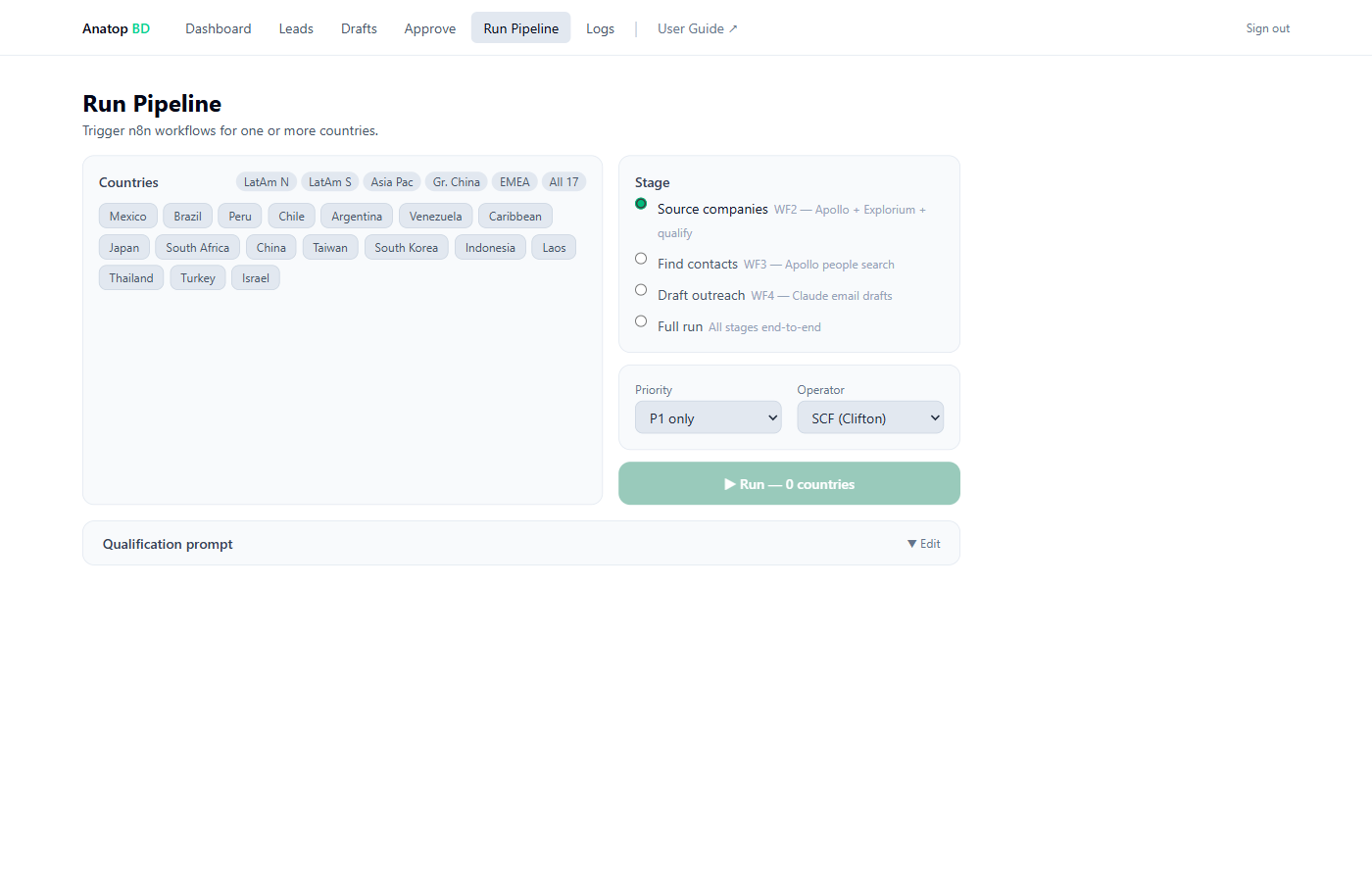
When you click "Run Pipeline → Brazil → Source companies", here's the choreography. You never see this, but it's useful to know it's happening.
- The panel asks WF2: "run sourcing for Brazil".
- WF2 queries a web search engine + Apollo + Explorium for Brazilian pharma companies with gastro focus. Gets ~25 candidates.
- WF2 sends them all to the AI with your scoring criteria. The AI replies with scores and a P1 / P2 / P3 classification for each.
- The qualified ones go back through WF1 into the Leads tab of the sheet. The panel picks them up on next refresh.
- When you later click "Find contacts", WF3 picks the qualified rows, looks up contacts for each, writes the person back through WF1.
- When you click "Draft outreach", WF4 reads each contact, asks the AI for a personalised email, creates a Gmail draft, and marks the row DRAFTED through WF1.
- You take it from there — read the draft, send it from Gmail, click "Mark as Sent". The rest of the choreography kicks in via WF5 and WF6.
For the technically curious — under the bonnet
Each workflow is a set of connected "nodes" — webhook triggers, HTTP requests to services like
Apollo and Gmail, code steps that shape data, and in WF6's case, wait nodes that
hold an execution paused for weeks at a time. The state between workflows is the Google
Sheet; no other database.
Authentication to Google Sheets and Gmail is held as OAuth credentials inside n8n. Apollo and OpenRouter (for the AI) use API keys passed in from the panel's environment variables. When a credential needs renewing, it's a two-minute click-through at sla-bd.app.n8n.cloud → Credentials.
Why n8n rather than custom code? Three reasons: (1) the 14/30/60-day wait semantics in WF6 would be painful to build from scratch; (2) every execution is logged with full input/output at each node, making debugging trivial; (3) non-engineers can read the workflow graphs visually rather than reading code.
A typical week with this
Here's what operating this system looks like once it's steady-state. No drama; mostly reading.
Review the drafts queue
Open the panel → Drafts. Five emails waiting. You read each one. Three are good — you open them in Gmail, tweak the odd line, send. Two are too generic — you delete them and ask the system to re-draft.
Mark the three as sent
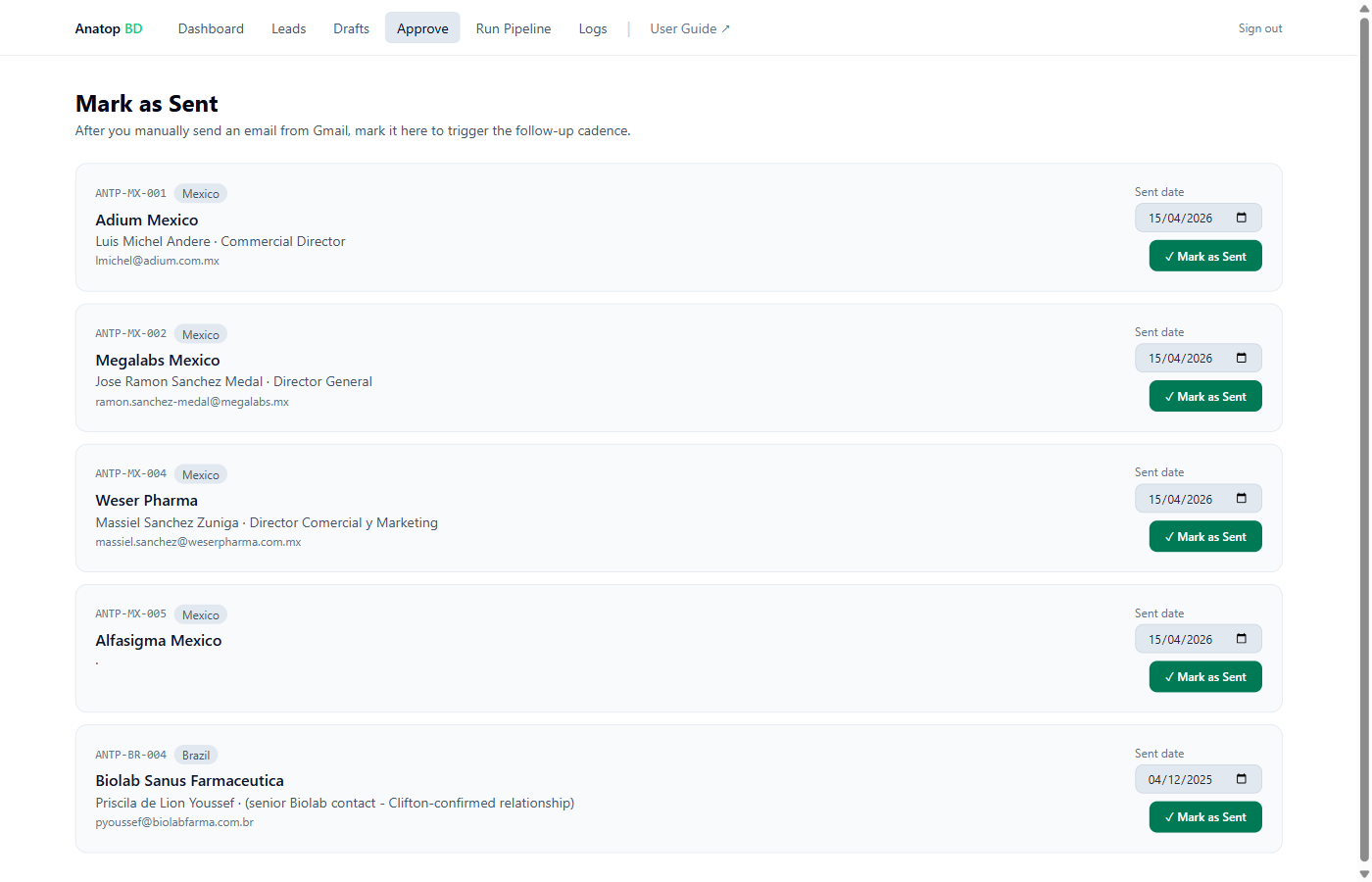
Panel → Approve. Click "Mark as Sent" on each of the three with today's date. The 14-day follow-up clock starts automatically.
The system works without you
Behind the scenes, n8n is either idle or doing low-touch tasks: processing a re-draft you asked for, holding in-flight follow-up timers, logging activity.
A reply lands in your Gmail
The Megalabs General Manager replies with a warm "yes, let's talk next week". You reply personally (the AI doesn't touch replies — that's entirely yours). In the panel, you can optionally mark the lead as REPLIED to stop the follow-up bumps going out.
Start a new country
Panel → Run Pipeline → Israel → Source companies. By Monday, fresh qualified leads and contacts will be waiting on the sheet.
Walking through the panel
Six pages. Each one has a clear single job.
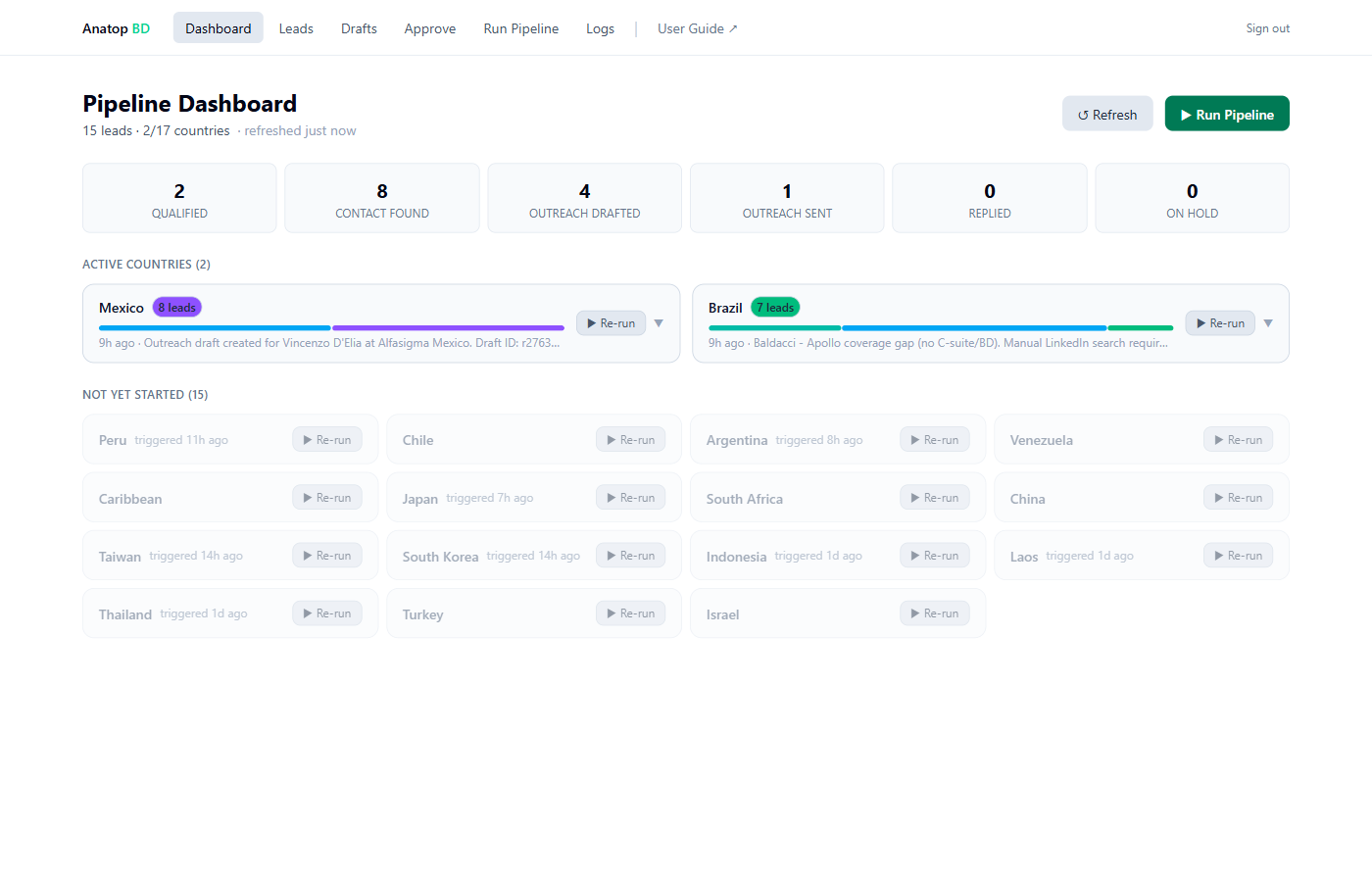
Dashboard — the command view
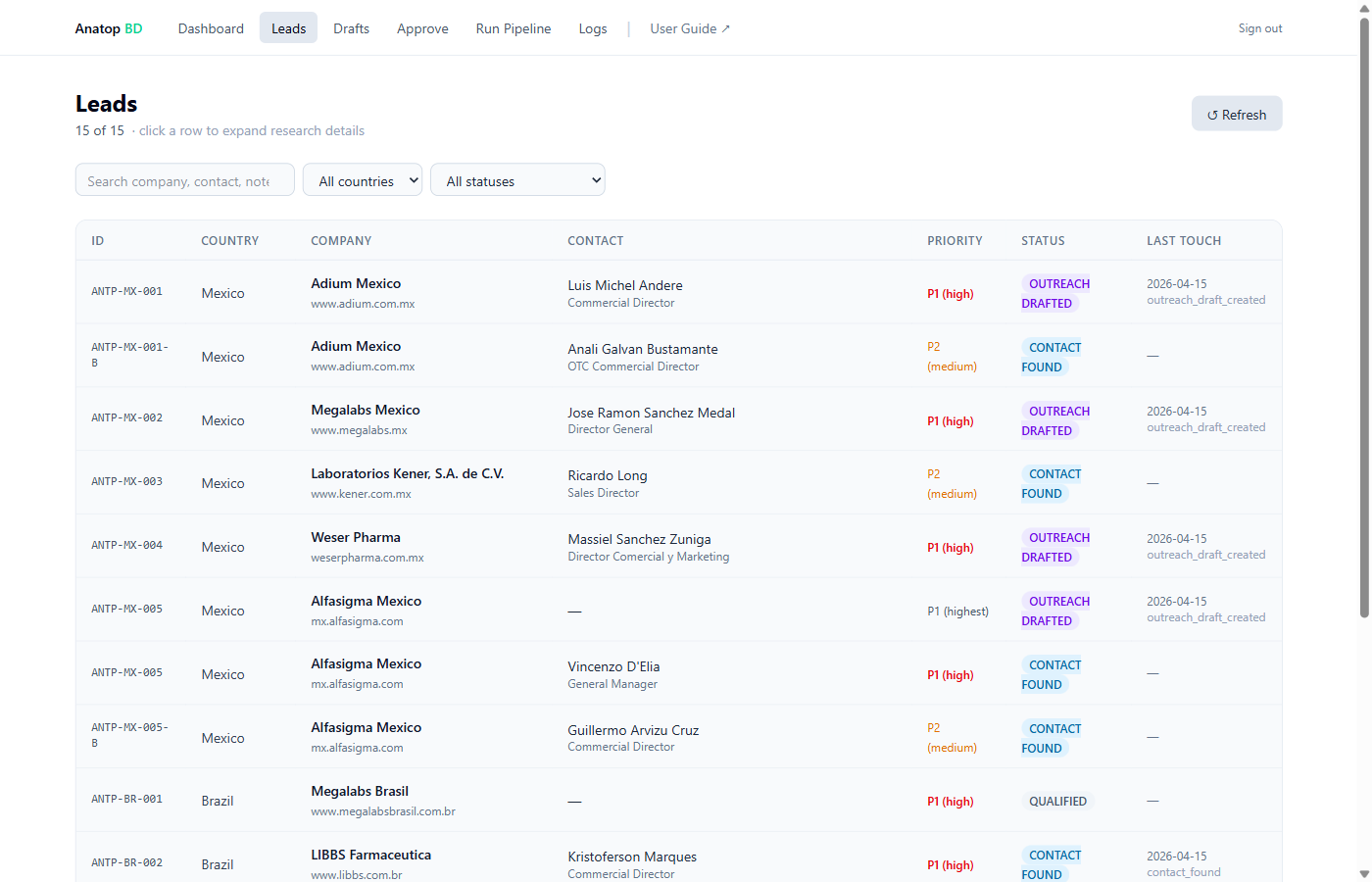
Leads — the full ledger
Drafts — the review queue
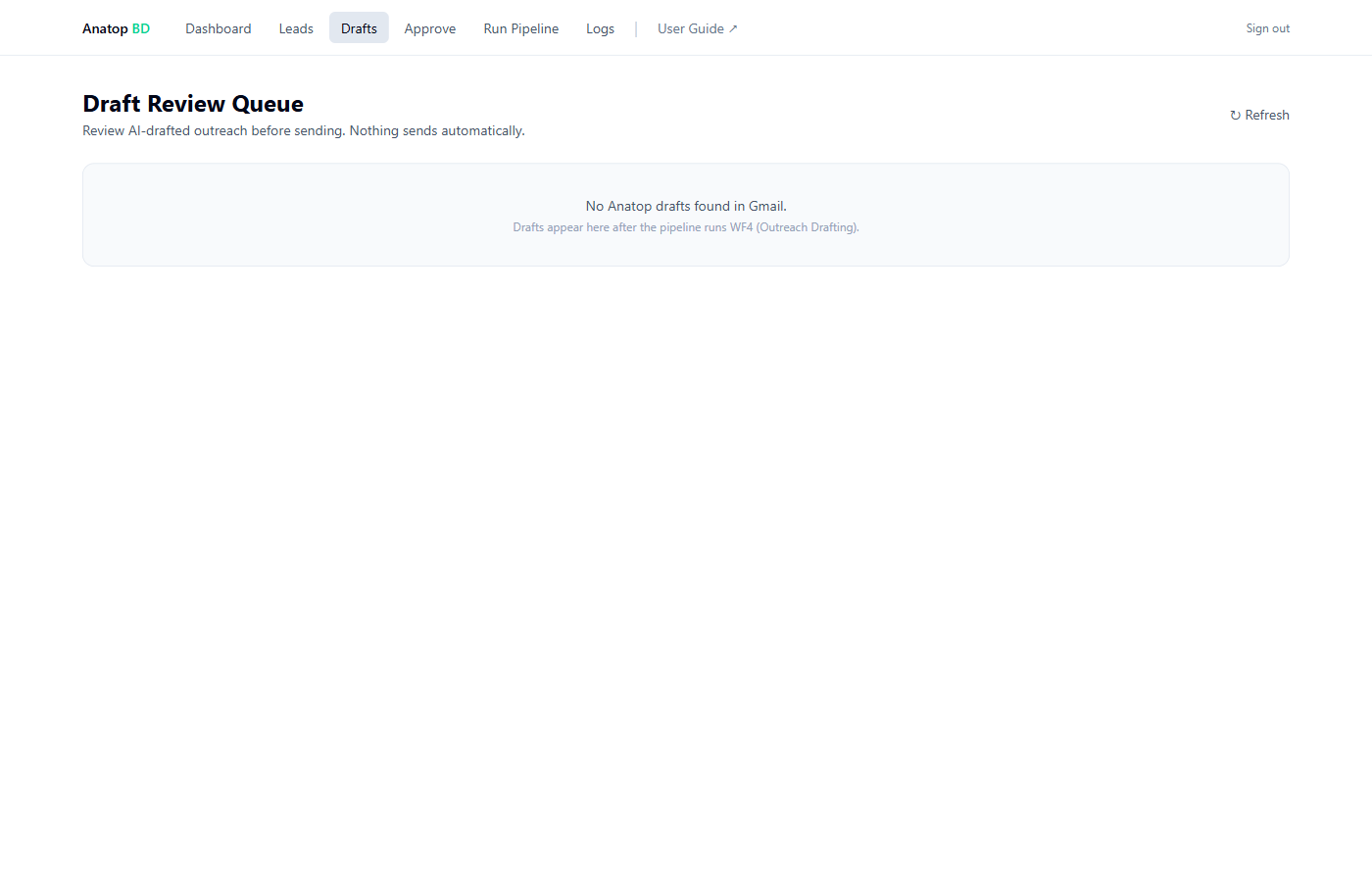
cflack@slapharmagroup.com.
If the list is empty, either no drafts exist yet or you need to sign into the panel as Clifton
(see When something looks off).
Mark as Sent — closing the loop
Run Pipeline — starting something new
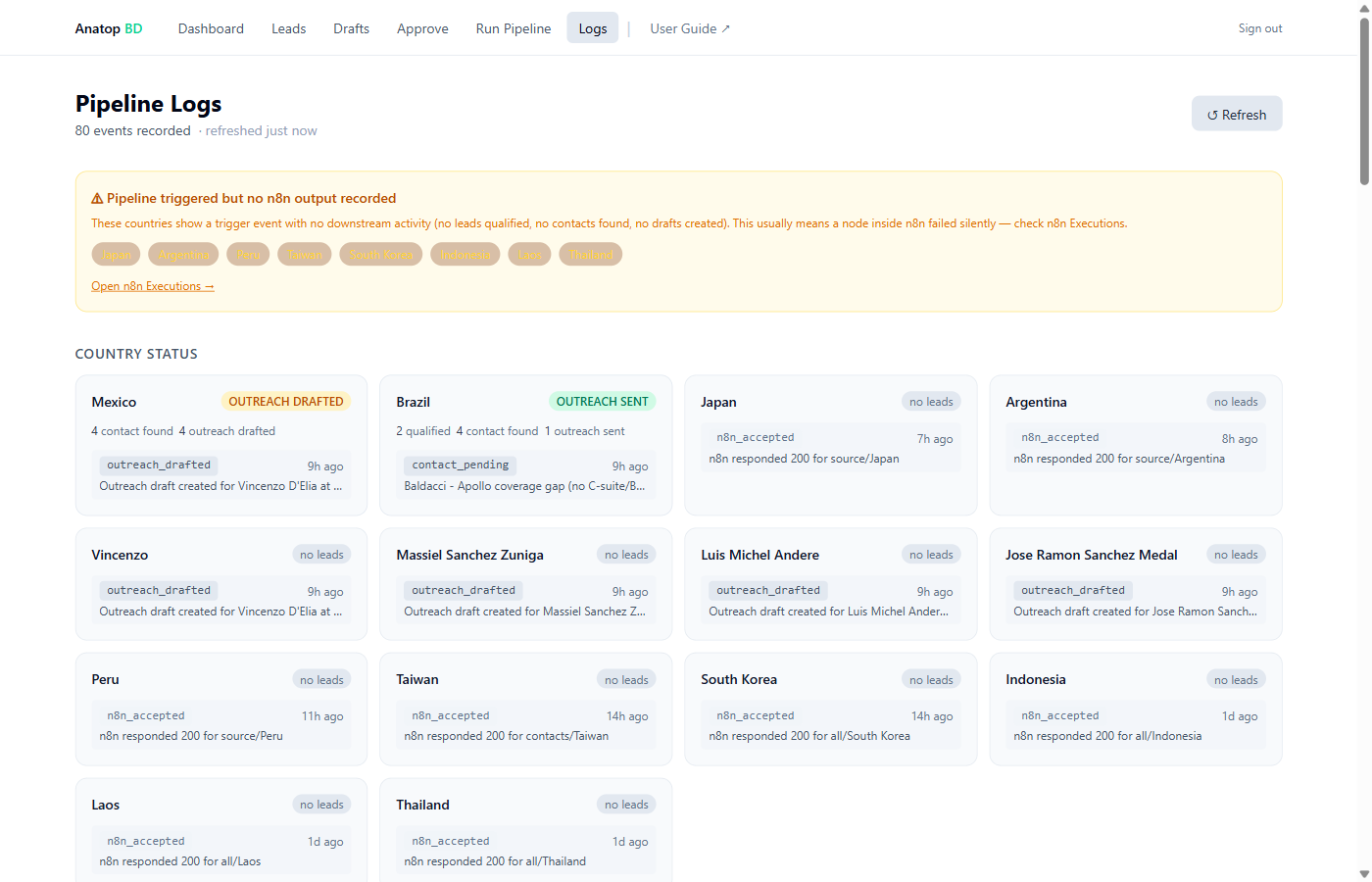
Logs — the audit trail
The four lines we never cross
These are hard-coded. No setting flips them; no instruction overrides them. Sam and Clifton would have to change the code to break these, and wouldn't.
-
1
No auto-send.
The system only creates Gmail drafts. The Gmail "send" function is never called. If a prospect receives an email from SLA, a human clicked Send.
-
2
No invented facts.
Every claim about Anatop traces to the commercial overview document: EU MA in 2024, ACPGBI 2023 guideline recommendation, 465-patient pivotal Phase 3, 700,000+ UK named-patient tubes supplied. Nothing outside that fact set reaches a draft.
-
3
No mention of "Anoheal".
The earlier product name under a prior programme. Never appears in outreach.
-
4
Laboratorios Armstrong (Mexico) is invisible.
They market Angiotrofin Gel, the only other diltiazem product for anal fissure. They cannot appear in the sourcing pipeline or receive outreach.
Status definitions
Every lead sits at one of six statuses at any moment. The panel and the sheet agree.
| Status | What it means | What happens next |
|---|---|---|
| QUALIFIED | Company has been found and scored. No contact researched yet. | Run Find contacts to advance it. |
| CONTACT FOUND | A named senior contact with a verified email is on file. | Run Draft outreach (or wait for the weekly draft run). |
| OUTREACH DRAFTED | A draft email is waiting in Clifton's Gmail. | You read it, send it, click "Mark as Sent". |
| OUTREACH SENT | You've sent the opening email. Follow-up clock is running. | Wait. Follow-up bumps get drafted at day +14, +30, +60. |
| REPLIED | They replied. Set manually — the system doesn't read your inbox. | You own the conversation from here. |
| ON HOLD | No reply after the full bump sequence. | Parked. Revisit in 6+ months, or escalate manually. |
When something looks off
A short list of the things you might see and what to do. Ninety percent of "this looks wrong" moments are one of these.
| What you see | What's probably happening | What to try |
|---|---|---|
| Drafts page is empty even though emails were drafted. | You're signed into the panel as someone other than Clifton. The drafts live in his Gmail. | Sign out (top-right of the nav bar) and sign in as cflack@slapharmagroup.com. |
| Numbers on the dashboard look wrong. | The page caches briefly. | Hit Refresh (top-right). The sheet is the source of truth — if the sheet says five, five it is. |
| A country was triggered but no leads appeared. | Apollo may have returned nothing for your tier, or the sourcing stalled silently. | Check the Logs page — if you see "triggered" with no "lead_qualified" events an hour later, message Clifton or Sam. |
| A lead is stuck at CONTACT FOUND for days. | The draft stage hasn't been run for that priority level. | Run Pipeline → that country → Draft outreach → P1 only. |
| Something more serious. | Genuine fault somewhere. | Screenshot what you see and send it to Clifton or Sam. Don't keep clicking. |
Who to call
Panel built on Next.js + Vercel · Automation on n8n Cloud · AI via Claude (Anthropic) through OpenRouter · Data from Apollo & Google Sheets · No secret sauce — just well-connected parts.